Quickstart
Go from a new project to a purchase that unlocks a perk in your app.
Set up a project and a product in Studio, then install the SDK for your platform, so a purchase in your app unlocks a perk. This quickstart is for the developer integrating Voidhash; for Studio itself, see the Help center. The first three steps are the same for every platform; the platform quickstarts cover the code.
Create a project
Sign up or sign in to Studio, and create a team and a project. New teams on Voidhash Cloud start on a waitlist.
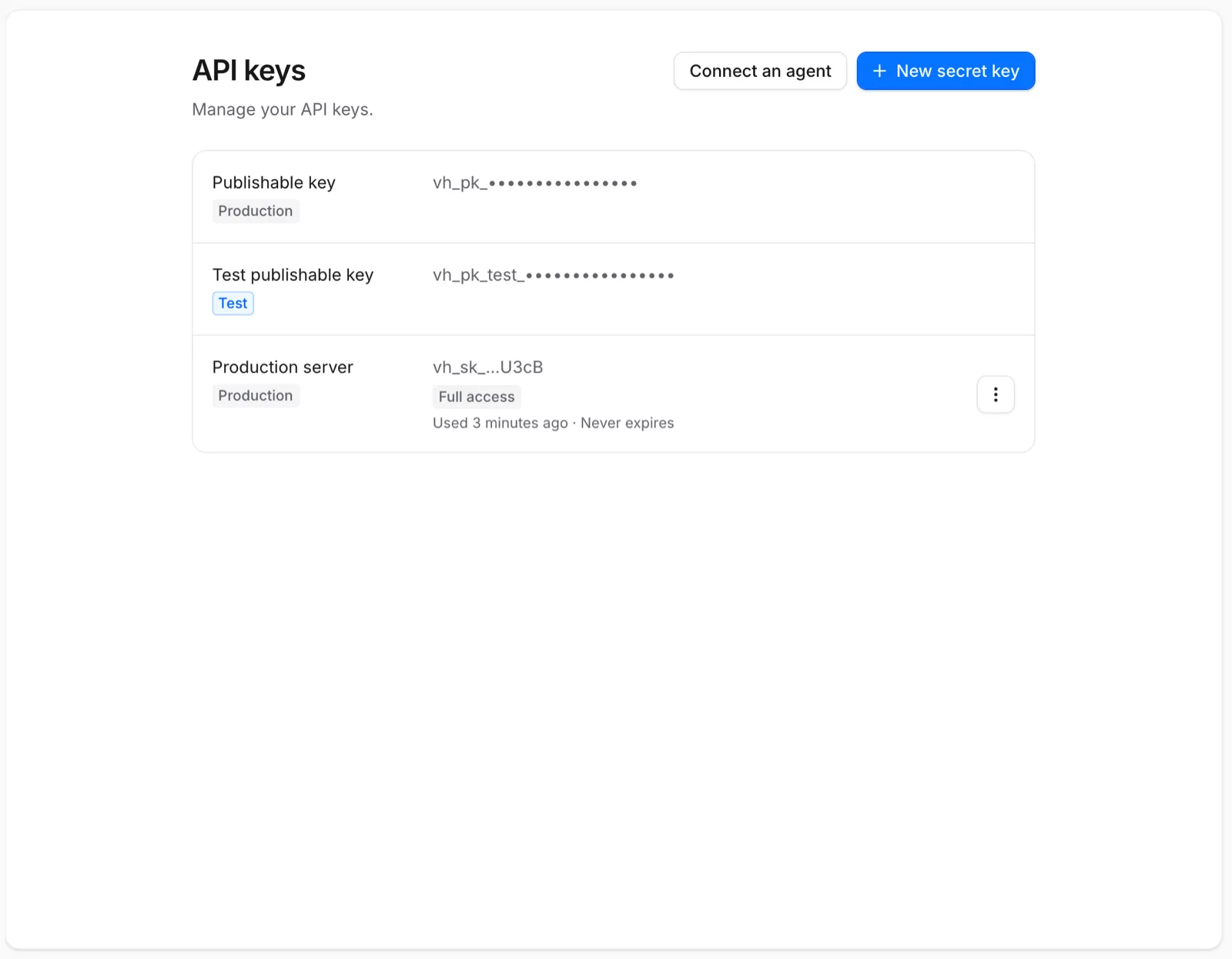
Once your team has access, open Settings → API keys and copy the project's publishable keys: vh_pk_... for release
builds and vh_pk_test_... for debug builds and staging. See Teams, projects and environments.
Connect a store
Under Settings → Payment providers, connect the App Store, Google Play or Stripe (Help center). To try purchases first, skip this: debug builds of the Swift, Kotlin and React Native SDKs can buy from a simulated store in development mode with the test key. On the web, use Stripe test mode (Help center) instead.
Create a product and a perk
Under Products → Perks, click New perk and create a perk such as premium: the access your
app checks. The slug is what your code uses.
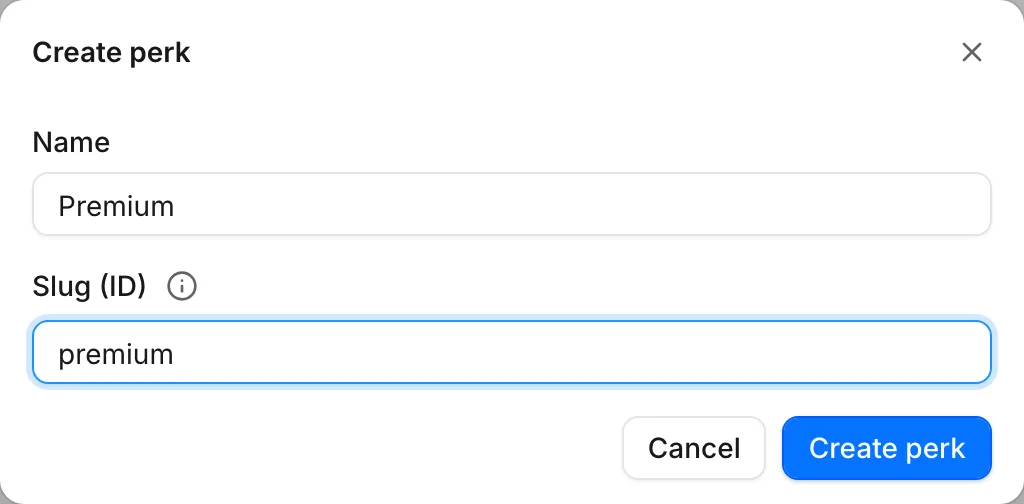 Your app checks the slug, so pick it with care
Under Products → Products, create a product such as pro_monthly and attach the perk. Once you
connect a store, map the product to its store product. Development mode sells the project's
products without a mapping. See Products and perks.
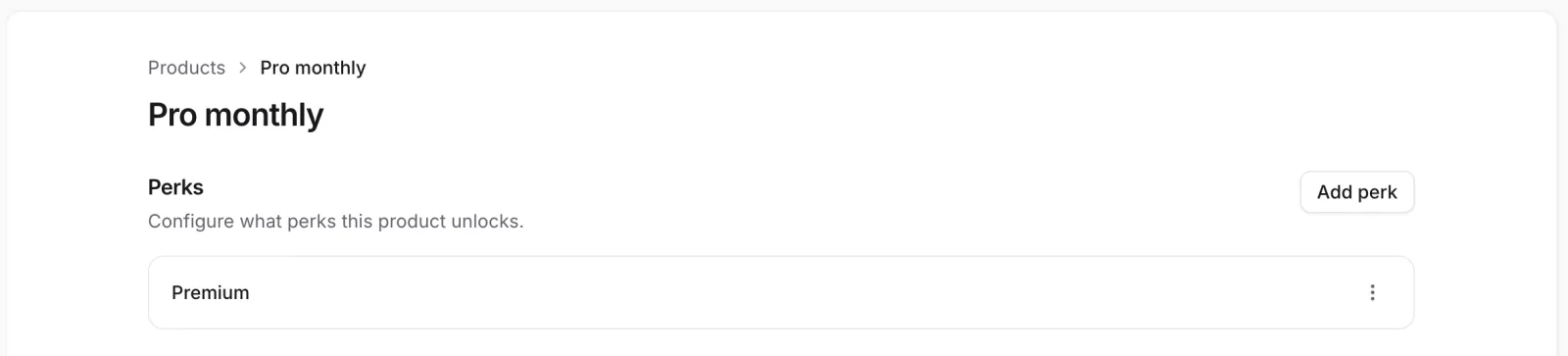 A product grants its perks to whoever buys it
Install an SDK
Follow the quickstart for your platform. Each mobile quickstart configures the SDK with your publishable key, buys a product, and checks its perk. The web SDK doesn't sell in-app; its quickstart covers events, attribution and identifying visitors. The SDKs are alpha releases; Versions and releases lists where each one installs from.
React Native
Expo development builds and bare React Native apps.
Swift
Native iOS apps with StoreKit 2.
Kotlin
Native Android apps with Google Play Billing.
Web
Websites and web apps, including React and Next.js.
The SDKs share one project, one event model and one identity, so a person who uses your website and your app is one person in Voidhash. Swift and Kotlin are separate native SDKs built to behave alike, and React Native runs on both of them, so purchases, caching, offline queues and paywalls work the same way on each. The mobile SDKs can also record purchases another billing SDK makes, in observer mode. Each SDK's overview lists its requirements.
Add a paywall
Once purchases work, your team can design the screen that sells them in Studio, deploy it and show
it at a location such as onboarding; see Design a paywall. Your app
presents it by that slug. See Paywalls in your app.
To show paywalls, your app also needs the native paywall renderer, which you currently build from source. See the SDK pages for Swift, Kotlin and React Native.
Paywalls are in early access. Ask us on Discord, or email support@voidhash.com on a paid plan, to turn them on for your team.
Next steps
- See how a purchase flows through Voidhash
- Check access from your backend with Node.js, PHP, Go, Rust or over HTTP
- Test purchases before you release (Help center)
Something wrong or missing on this page? Tell us by email or on Discord.